
Quick answer: Ad extensions, now called assets in Google Ads, add extra information below a search ad, such as sitelinks, callouts, structured snippets, a call button or a lead form. They make the ad bigger and more useful, which usually improves CTR and Ad Rank.
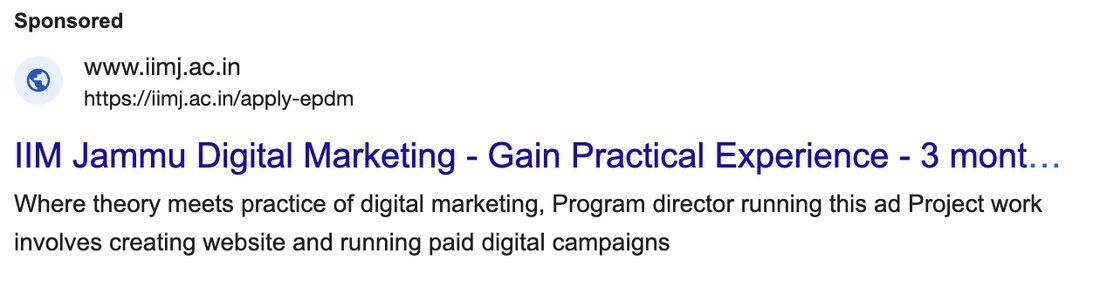
A Google Search ad has a core part: the final URL, headlines and descriptions. Apart from this core message, you can add extra information below the ad. These are called ad extensions. Google now calls them assets.
Why assets matter
- Higher CTR. An ad with assets takes more space and gives more reasons to click. CTR (click-through rate) is clicks divided by impressions.
- Better Ad Rank. Ad Rank depends on your bid, your Quality Score and the expected impact of assets. Good assets can improve your position without a higher bid.
- Shorter path. The user can go directly to the page they want.
The key question is: after seeing my ad, what extra information will the customer look for? Put that information in your assets.
In the examples below, I use a home interiors business that sells modular kitchens.
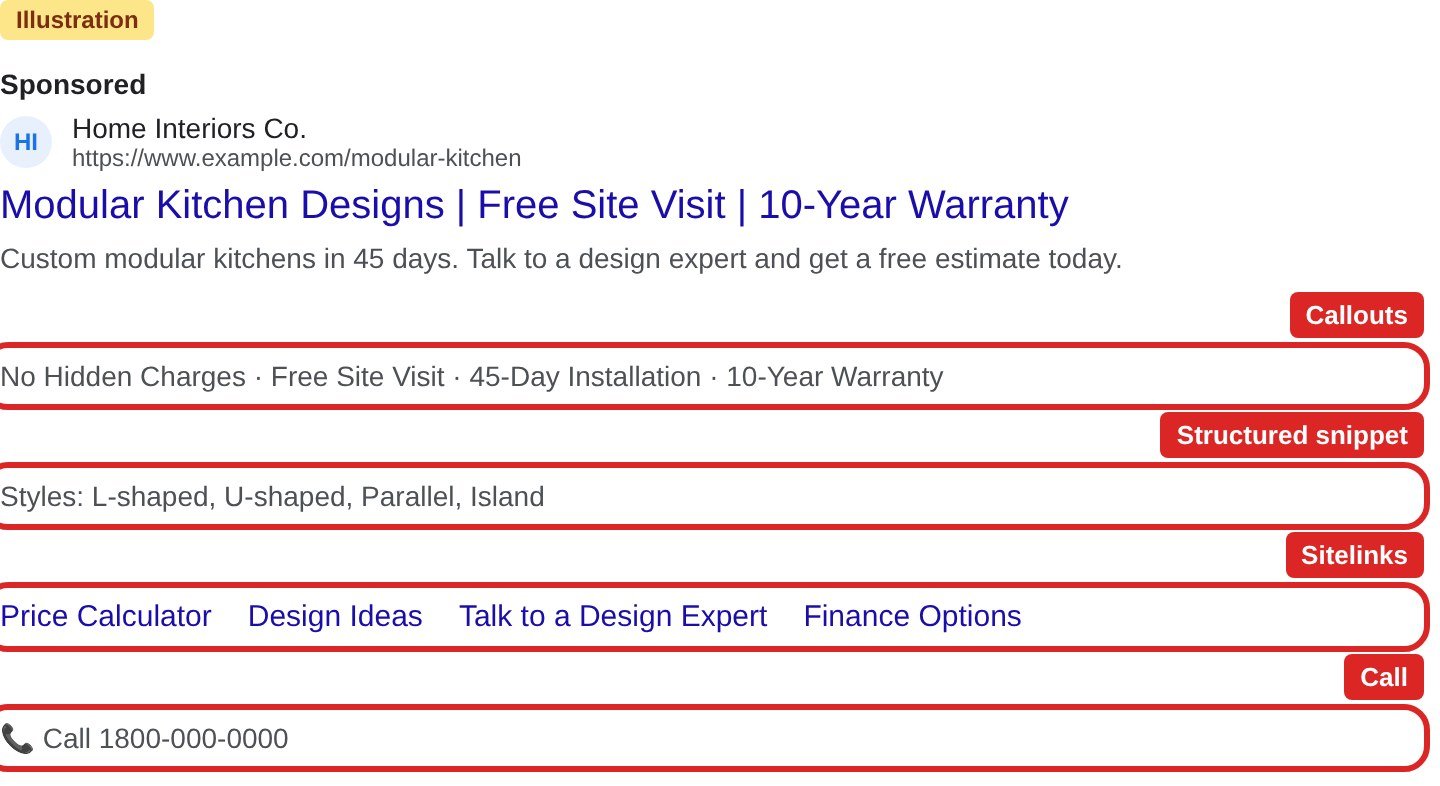
1. Sitelink
Links to specific pages on your website, shown below the ad.
Examples: Price Calculator, Design Ideas, Talk to a Design Expert, Finance Options, Store Locator.
A person searching for modular kitchens may next want a cost estimate or design ideas. Sitelinks take them there in one click.
2. Callout
Short text (up to 25 characters) that highlights a benefit. Callouts are not clickable.
Examples: No Hidden Charges, 10-Year Warranty, Free Site Visit, 45-Day Installation.
3. Structured snippet
A list of items under a fixed header chosen from Google’s list, such as Types, Services, Brands or Styles.
Examples: Styles: L-shaped, U-shaped, Parallel, Island. Services: Kitchens, Wardrobes, Full Home Interiors.
4. Call
Adds a phone number or a call button to your ad. Very useful on mobile.
Example: a “Call” button that connects to your sales team during working hours.
5. Lead form
Lets people submit their details in a form directly from the ad, without visiting your website.
Example: “Get a free kitchen quote” form asking for name, phone number and city.
6. Location
Shows your business address, distance and directions. It links to your Google Business Profile.
Example: “Experience Centre, Andheri West, 2.3 km”.
Other assets you can use
| Asset | What it does | Example |
|---|---|---|
| Image | Shows a picture with your text ad | Photo of a finished kitchen |
| Price | Shows products or services with prices | L-shaped kitchen from Rs X |
| Promotion | Highlights a sale or seasonal offer | Diwali offer: 15% off |
| Message | Lets people start a chat with you | Chat with a designer |
| App | Links to your mobile app | Download the design app |
Tips
- Add at least four sitelinks, four callouts and one structured snippet to every search campaign.
- Each sitelink should go to a different, relevant page, not the home page.
- Google decides which assets to show for each search. Adding them does not guarantee they will appear.
- Check the asset report after a few weeks and replace weak assets.
Read next: Google search ads: step by step approach to launch Google search ads and What are organic sitelinks?
Try it yourself
- Open one search campaign in Google Ads and go to Ads & assets → Assets.
- Ask: after seeing my ad, what will the customer look for next? Write 4 answers and turn them into sitelinks.
- Write 4 callouts with real benefits (each up to 25 characters).
- Add one structured snippet with a header that fits your business.
- After 2 weeks, compare CTR before and after adding the assets.
Common mistakes to avoid
- Pointing every sitelink to the home page.
- Writing callouts that repeat the headline.
- Adding a call asset with no one available to answer.
- Promising offers in promotion assets that the landing page does not show.
Frequently asked questions
Are ad extensions and assets the same in Google Ads?
Yes. Google renamed ad extensions to assets. The types and the purpose are the same.
Do ad assets cost extra?
No. You pay only when someone clicks the ad or an asset, the same as a normal click.
How many sitelinks should I add?
Add at least four sitelinks, each pointing to a different relevant page. Google chooses how many to show.
Sources: Google Ads Help: About assets; Google Ads Help: Asset types