
Quick answer: To set up Facebook ads, open Meta Ads Manager, click Create, choose an objective (such as Leads or Sales), set the audience, placements, budget and schedule in the ad set, then add your image or video, copy and link in the ad, and publish. This is the core of paid social media marketing.
Facebook and Instagram ads are set up in Meta Ads Manager. Every campaign has three levels:
| Level | What you decide |
|---|---|
| Campaign | Objective (what you want) |
| Ad set | Audience, placements, budget and schedule (who, where, how much, when) |
| Ad | Format, creative and copy (what people see) |
Before you start, set up the Meta Pixel on your website if you want to track leads or sales. Read How to set up Meta Pixel for Facebook ads.
Step 1: Visit Facebook Ads Manager
Go to adsmanager.facebook.com and select your ad account. Click + Create.
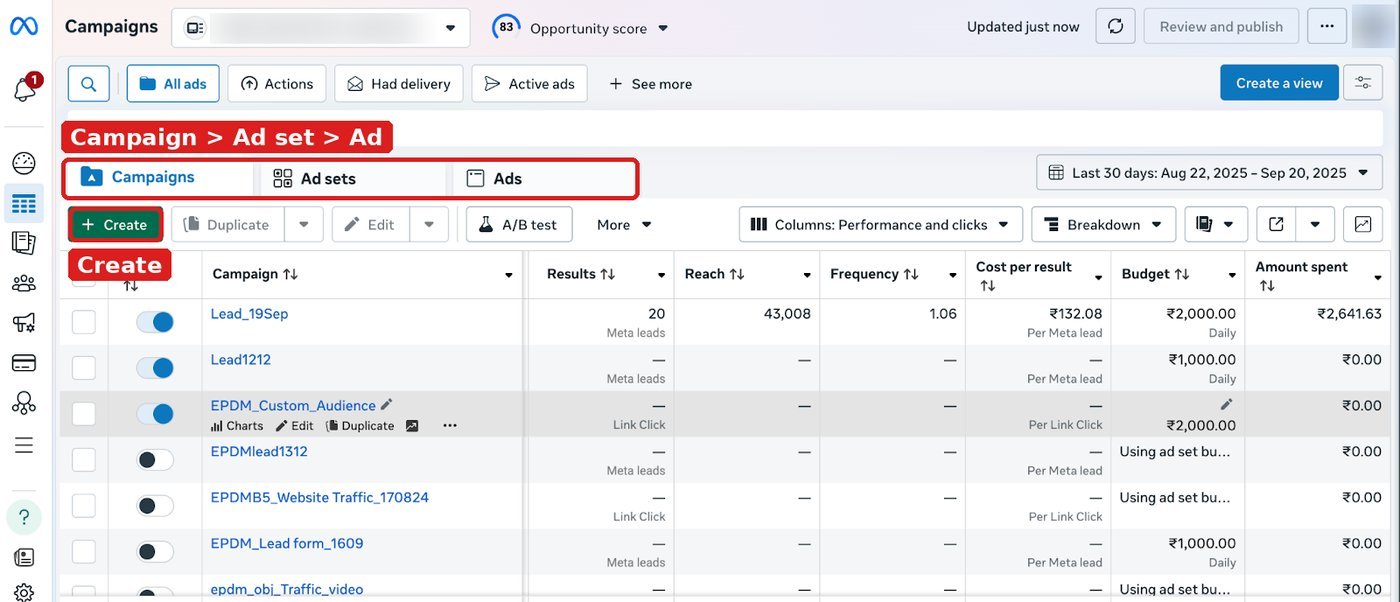
Step 2: Campaign: choose your objective
Choose the objective that matches your business goal: Awareness, Traffic, Engagement, Leads, App promotion or Sales.
Step 3: Name your campaign
Use a clear naming format, for example Brand_Objective_Audience_Month. This helps when you have many campaigns.
Step 4: Choose your audience: target who?
At the ad set level, define who should see your ad.
Step 5: Choose location
Select countries, states, cities or a radius around your store.
Step 6: Add specific interests
Add interests and behaviours related to your product. For example, a home décor brand can add interests such as interior design or home improvement. You can also use custom audiences (website visitors, customer lists) and lookalike audiences.
Step 7: Choose age
Set the age range and gender if your product is for a specific group.
Step 8: Placements: leave on automatic
Keep Advantage+ placements (earlier called automatic placements) when you start. Meta will show your ads where they perform best across Facebook, Instagram, Messenger and Audience Network.
Step 9: Set a specific budget
Choose a daily or lifetime budget. Start small, learn, then increase. Also choose a bid strategy. Read Changes in Facebook bid strategy options.
Step 10: Choose date and time
Set the start date and, if needed, an end date.
Step 11: Choose your format: video or image
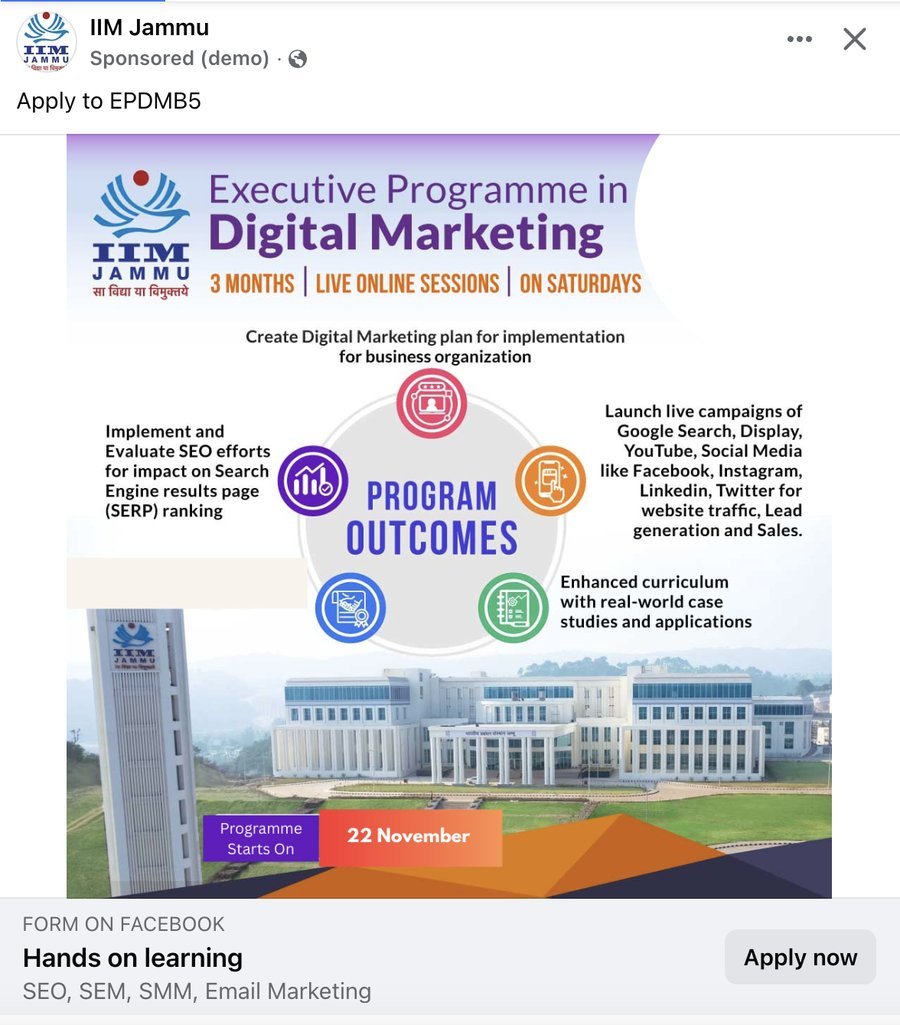
At the ad level, choose single image, video or carousel. Upload your creative in the right sizes (square or vertical work well on mobile).
Step 12: Create the headline and copy
Write the primary text, headline and call-to-action button. Keep one clear message and a clear action, for example “Book now” or “Learn more”. Add the website URL.
Step 13: Hit Publish: ads go live
Click Publish. Meta reviews the ad, usually within a day. Once approved, the ad goes live.
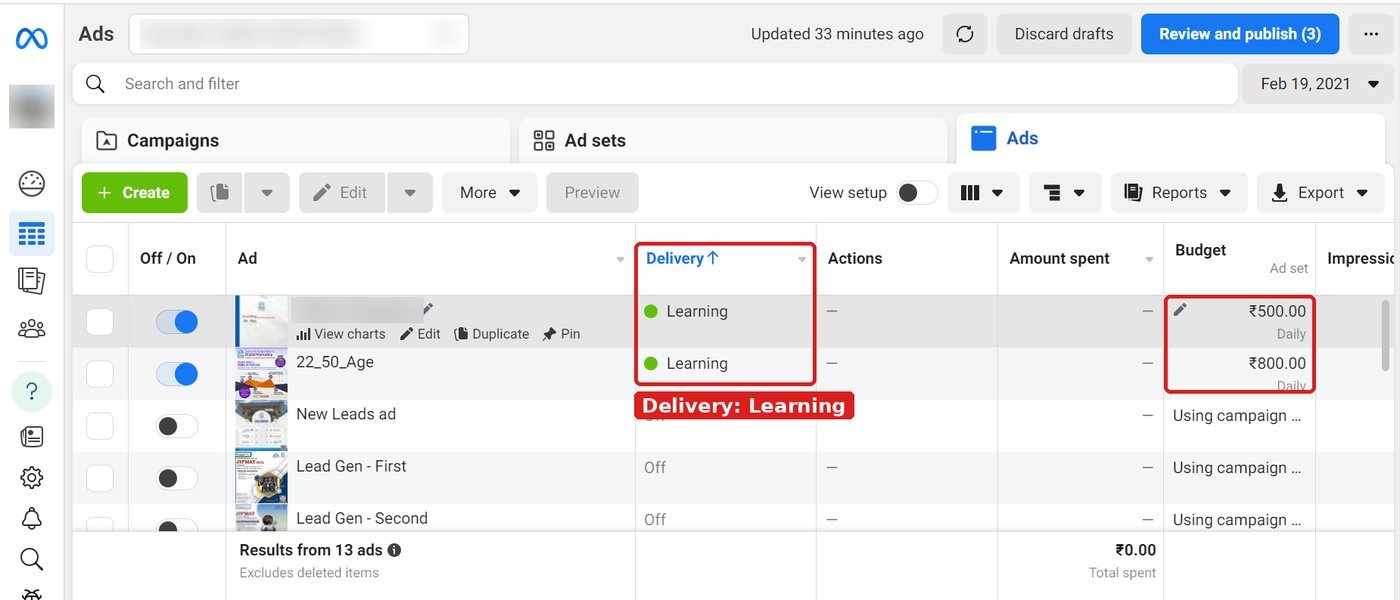
After launch
- Do not change the campaign every day. Let it learn for a few days.
- Check CTR, CPC, CPM and cost per result.
- Pause weak ads and test new creatives one at a time.
To see your Meta ad cost next to website data, read How to link Meta ads cost data to Google Analytics 4.
Try it yourself
- Write your campaign objective and one target (for example 20 leads in 10 days).
- Create a campaign with the Leads objective and a small daily budget.
- Set location, age and 3 to 5 interests. Keep Advantage+ placements on.
- Create 2 ads with different images and the same copy.
- After 5 days, compare cost per result and keep the better ad.
Common mistakes to avoid
- Choosing the Traffic objective when you want leads.
- Making the audience too narrow.
- Editing the campaign during the learning phase.
- Running ads before the Meta Pixel or lead form is tested.
Frequently asked questions
How much do Facebook ads cost?
You set your own daily or lifetime budget. The cost per result depends on your audience, objective, creative and competition, so test with a small budget first.
What is the difference between Facebook ads and boosting a post?
Boosting is a quick option from your page. Ads Manager gives full control over objective, audience, placements, bidding and tracking.
Do I need the Meta Pixel to run Facebook ads?
Not to run ads, but you need it (or a lead form) to measure leads and sales and to let Meta optimise for them.
Sources: Meta Business Help Centre