
Many learners ask me where to start when they build their first website. This page collects the guides I use and share in class. Follow them in order.
1. Launch your WordPress website
- Hostinger: How to launch a WordPress site
- Hostinger: How to add a website to a hosting plan
- How to design a self-hosted WordPress website using Hostinger
2. Quick steps to create a WordPress website on Hostinger
- Go to hPanel → Websites → Add website.
- Choose WordPress, then set your admin email, password and language.
- Select your domain or subdomain, finish the installation and open the WordPress Dashboard.
- Go to Appearance → Themes → Add New.
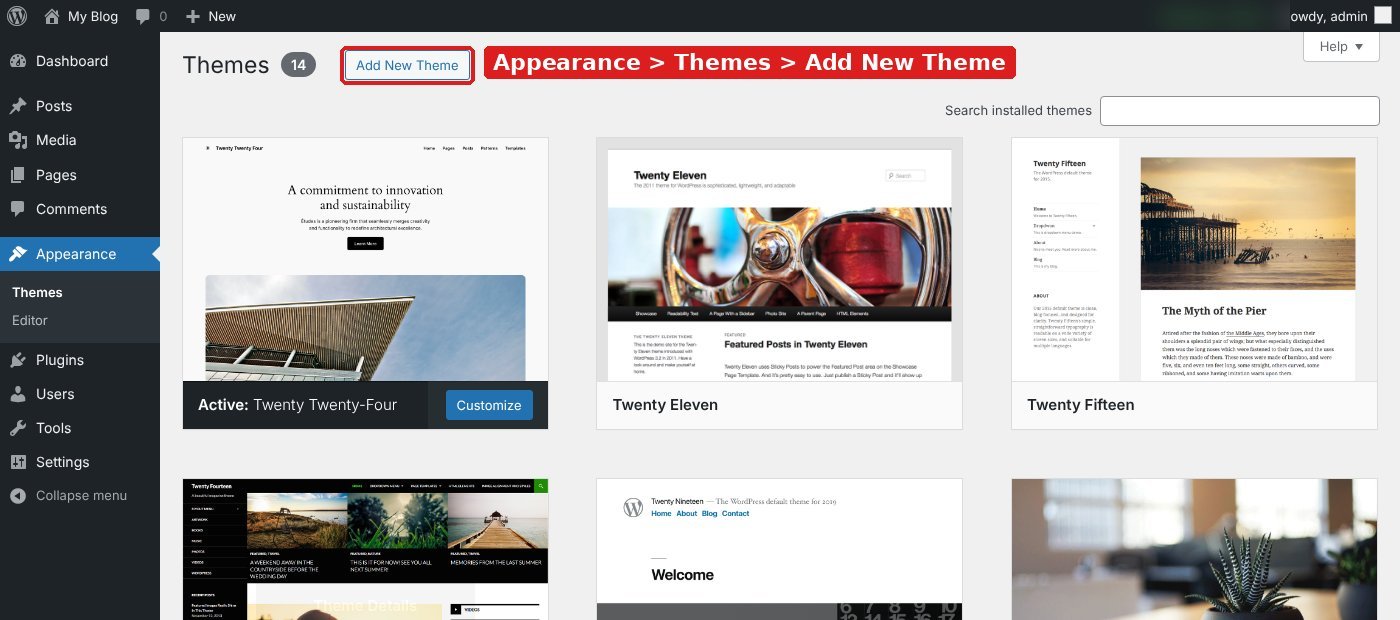
- Search for a theme such as Astra, then click Install and Activate.
- For a ready layout, go to Plugins → Add New, install Astra Starter Templates, open it and choose a design (for example a blog design).
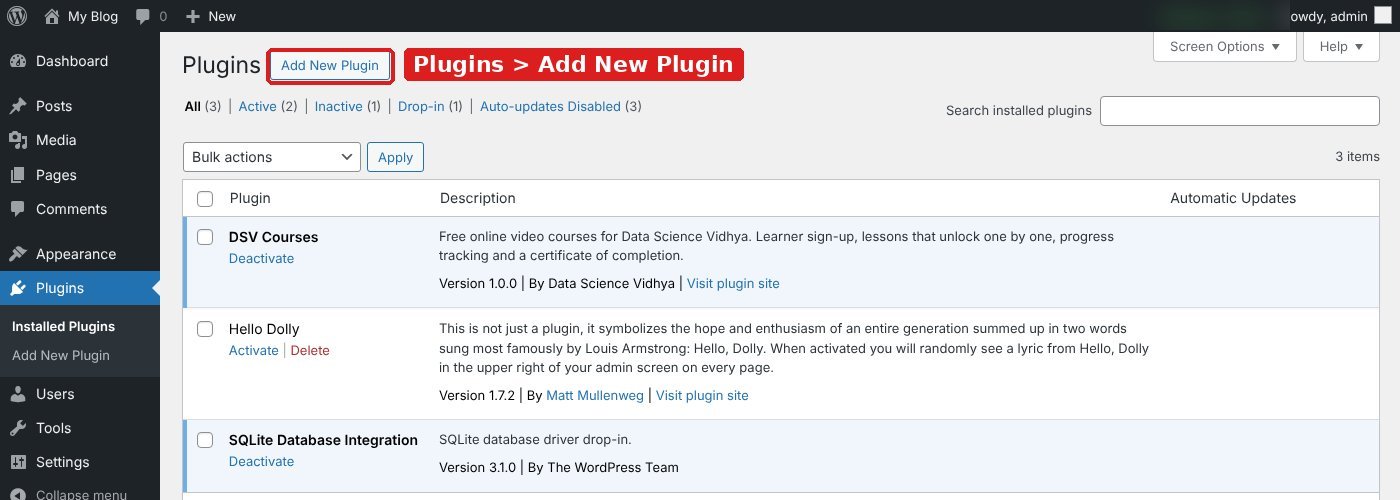
- Import the template and change your logo, menu, home page, colours and blog posts.
Hostinger and theme screens change over time. If a menu name is different, search the same words in the Hostinger help centre.
3. Set up the basics
- 10 important plugins for your WordPress website
- How to add a title tag to a WordPress website
- How to set up a canonical URL for a WordPress website
- Create an XML sitemap and submit it to Google Search Console
4. Measure your website
5. Earn from your website
- How to set up a Google AdSense account for your WordPress website using Site Kit
- What to do when your Google AdSense account shows an error for the ads.txt file
For the full path from website to SEO and paid ads, see the free course Digital Marketing Step by Step.
Try it yourself
- Buy a domain and a hosting plan, or use a subdomain you already have.
- Install WordPress from hPanel and log in to the Dashboard.
- Install one theme and one starter template. Change the logo, menu and colours.
- Publish 3 posts on topics you know well. Add a title tag and meta description to each.
- Connect Google Search Console and Google Analytics 4, then submit your sitemap.
Common mistakes to avoid
- Installing many plugins at once. Each extra plugin can slow the site.
- Leaving the sample page and “Hello world” post live.
- Not taking backups before changing themes.
- Skipping Search Console, so Google takes longer to find your pages.
Frequently asked questions
Why do I need a website to learn digital marketing?
A website is your own lab. You can practise SEO, analytics, landing pages and ads on it, and see real results.
Is WordPress good for a digital marketing website?
Yes. It is free, flexible and has plugins for SEO, analytics, forms and email marketing.
Sources: Hostinger tutorials; Hostinger Help Centre